
Photoleap Best AI Photo Editor Alternative to Photoshop Free Download – Transform Your Images

In a world where visual content reigns supreme, having the right photo editing tools can make all the difference. Enter Photoleap, an innovative AI-powered photo editor that’s revolutionizing how we transform and enhance our images. Whether you’re a social media enthusiast, a professional photographer, or someone who simply loves creating stunning visuals, Photoleap’s cutting-edge AI technology offers a seamless blend of powerful features and user-friendly design that puts professional-grade editing capabilities right at your fingertips.
Discover the Power of Photoleap: The Best AI Photo Editor
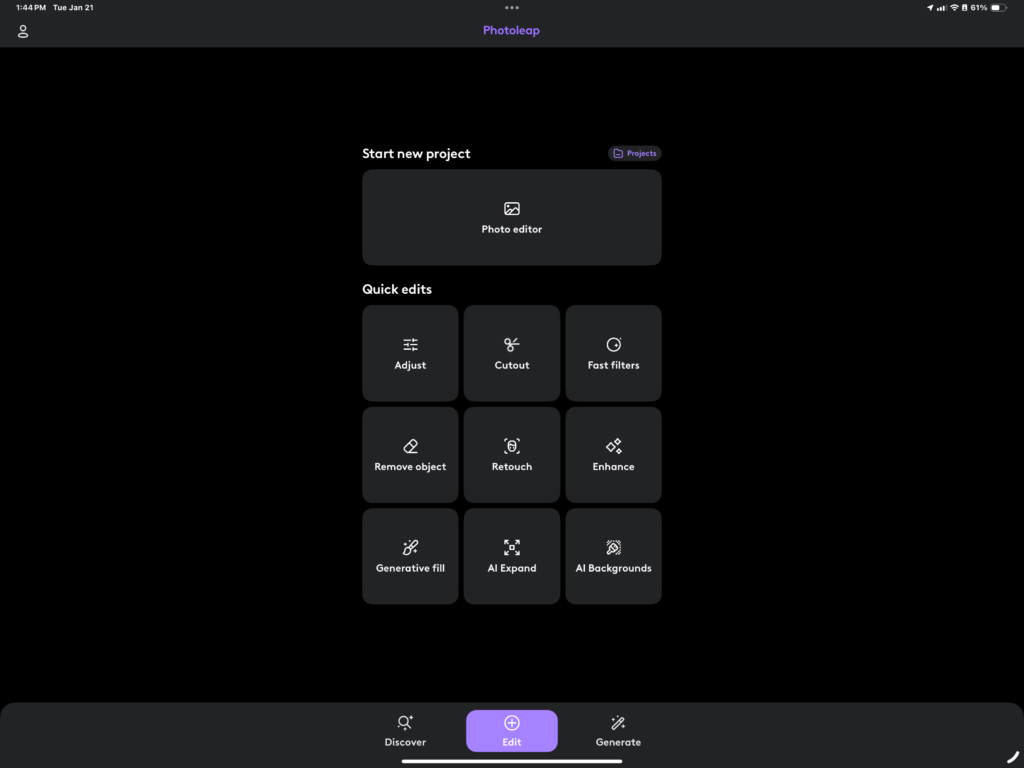
The landscape of photo editing has undergone a dramatic transformation with the emergence of AI technology, and Photoleap stands at the forefront of this revolution. As confirmed by the App Store, this remarkable tool combines sophisticated AI capabilities with intuitive design, allowing users to transform their creative visions into reality with just a few taps.
What sets Photoleap apart is its groundbreaking approach to AI photo transformation. The app doesn’t just have the ability to generate images from text descriptions opens up endless possibilities for creative expression. Whether you’re looking to enhance a simple snapshot or create complex digital art, Photoleap’s first-in-class AI tools streamline the editing process while maintaining professional-quality results by giving you access to a touch first friendly user interface to create great thumbnails or social media posts for Instagram.
I’ve found that Photoleap’s AI capabilities extend far beyond basic photo editing. The platform excels at understanding and implementing complex visual concepts, making it an invaluable tool for both beginners and seasoned photographers. From automatic background removal to sophisticated style transfers, the AI engine processes and enhances images with remarkable precision and speed.
The platform’s commitment to innovation is evident in its comprehensive suite of features. By leveraging advanced AI algorithms, Photoleap transforms the traditionally time-consuming editing process into an efficient and enjoyable creative journey. This perfect marriage of technology and user experience makes it a standout choice in the crowded field of photo editing applications.
Introduction to Photoleap
What is Photoleap?
Developed by Lightricks Ltd, Photoleap represents a significant leap forward in mobile photo editing technology. As I’ve explored its capabilities, I’ve found it to be more than just another photo editing app – it’s a comprehensive creative suite that harnesses the power of AI to transform ordinary photos into extraordinary artworks.
What is Photoleap exactly? At its core, it’s a sophisticated mobile photo editor that combines professional-grade tools with an intuitive interface. The app stands out for its simple yet powerful AI features, making complex editing tasks accessible to users of all skill levels. Whether you’re touching up portraits, creating surreal artwork, or preparing content for social media, Photoleap provides the tools you need without overwhelming complexity.
One aspect I particularly appreciate is its affordable subscription model, which makes premium features accessible without breaking the bank. This democratization of professional editing tools aligns perfectly with the app’s mission to empower creative expression for everyone.
The Evolution of AI in Photo Editing
The journey of AI in photo editing marks a fascinating transformation in how we approach image manipulation. I’ve witnessed this evolution firsthand, and it’s remarkable how far we’ve come from basic filters to sophisticated AI-powered transformations.
In recent years, AI has revolutionized photo editing by introducing capabilities that once seemed impossible. What used to take hours of careful manipulation can now be accomplished in seconds. Photoleap stands at the cutting edge of this revolution, incorporating advanced AI algorithms that can analyze images, understand context, and make intelligent adjustments automatically.
The integration of AI has democratized professional-level editing, breaking down barriers that previously restricted high-quality photo manipulation to those with extensive technical knowledge. Through Photoleap’s implementation of these technologies, users can now access features like intelligent object removal, advanced portrait retouching, and even AI-generated artwork – all from their mobile devices.
This evolution represents more than just technological advancement; it’s a fundamental shift in how we approach creative expression. The AI tools in modern photo editing don’t just make our work faster – they expand the boundaries of what’s possible, allowing users to realize their creative visions with unprecedented ease and precision.
Unmatched Features of Photoleap
Core Photo Editing Tools
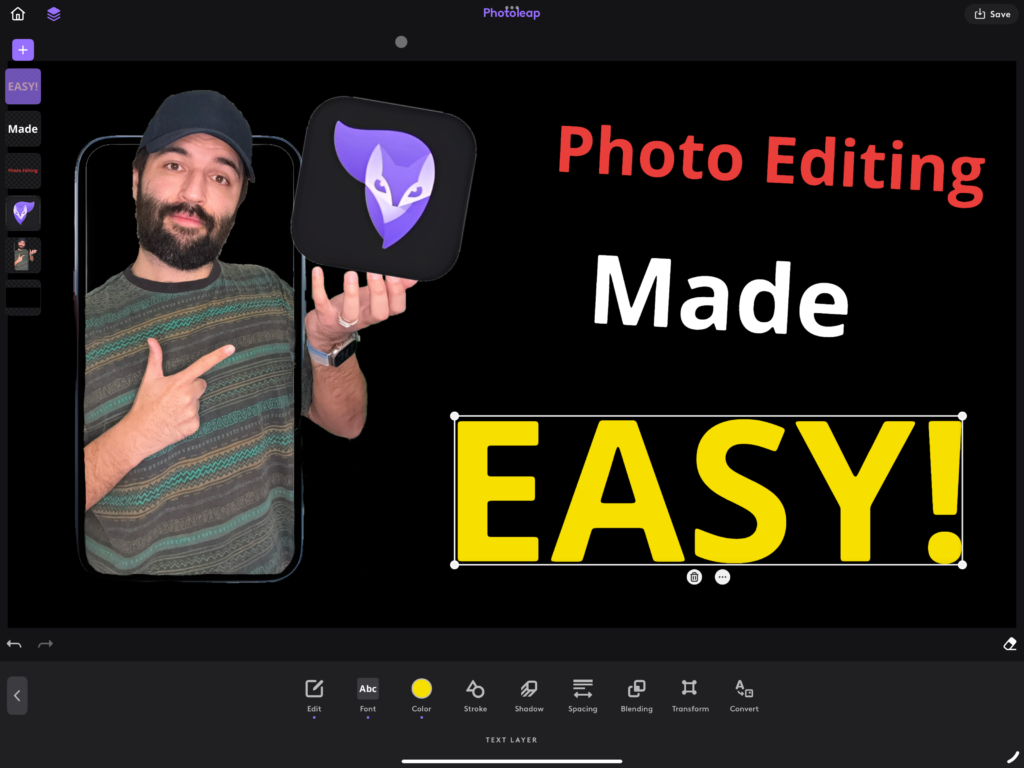
The foundation of Photoleap Pro lies in its robust set of core editing tools that cater to both beginners and advanced users. As highlighted in the App Store, the platform excels in providing sophisticated layering and blending capabilities, allowing users to create complex compositions with ease.
I’ve found that what sets these tools apart is their intuitive design combined with professional-grade functionality. The basic editing suite includes precise cropping tools, comprehensive color correction options, and advanced resizing features. But it’s the sophisticated layering system that really shines, enabling users to blend multiple images and create stunning visual effects.
One of the most impressive aspects is the 3D animation capability. The photo animator tools transform static images into dynamic content, breathing life into otherwise still photographs. This feature has become increasingly popular among content creators looking to make their work stand out on social media platforms.
AI-Powered Enhancements
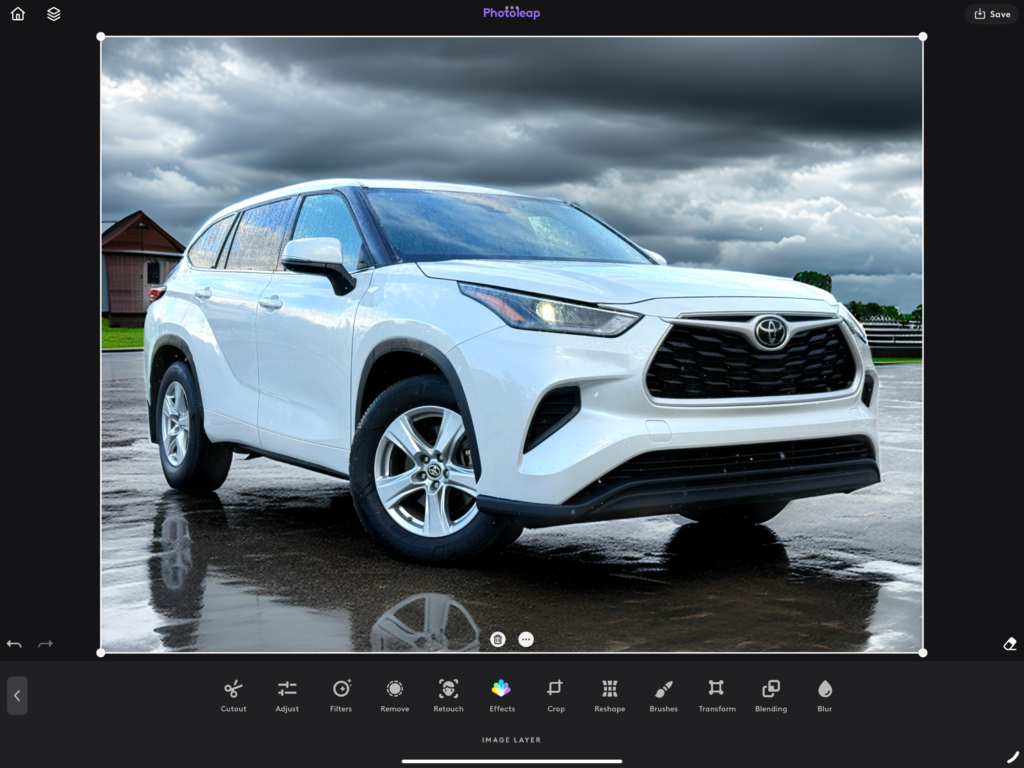
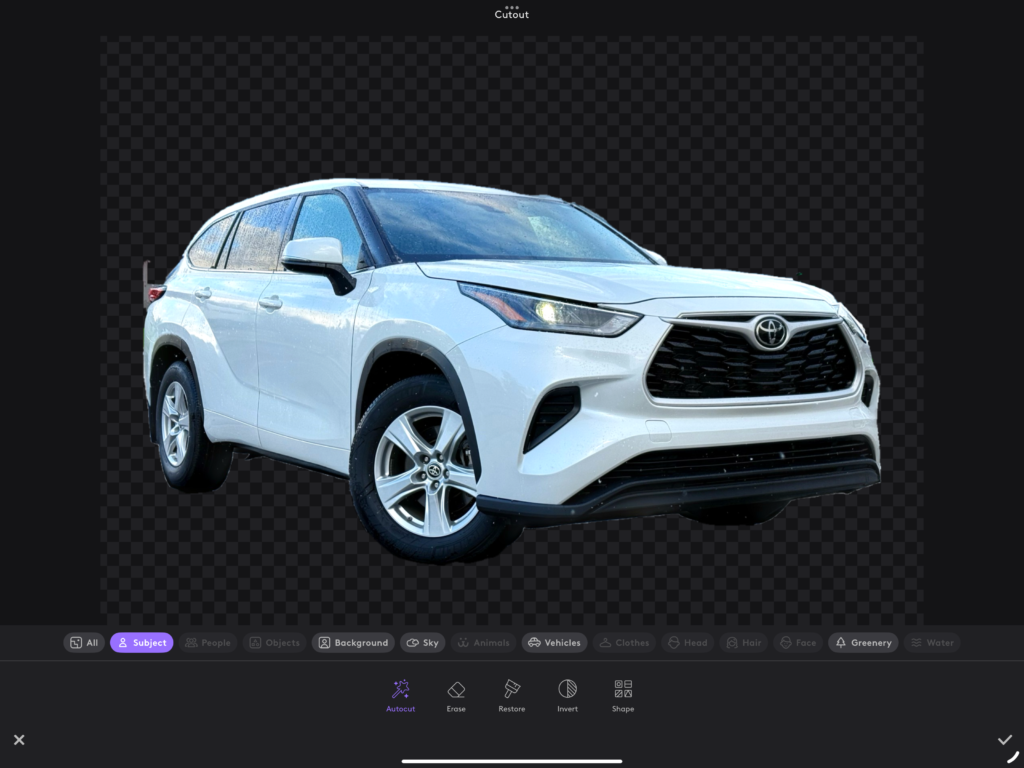
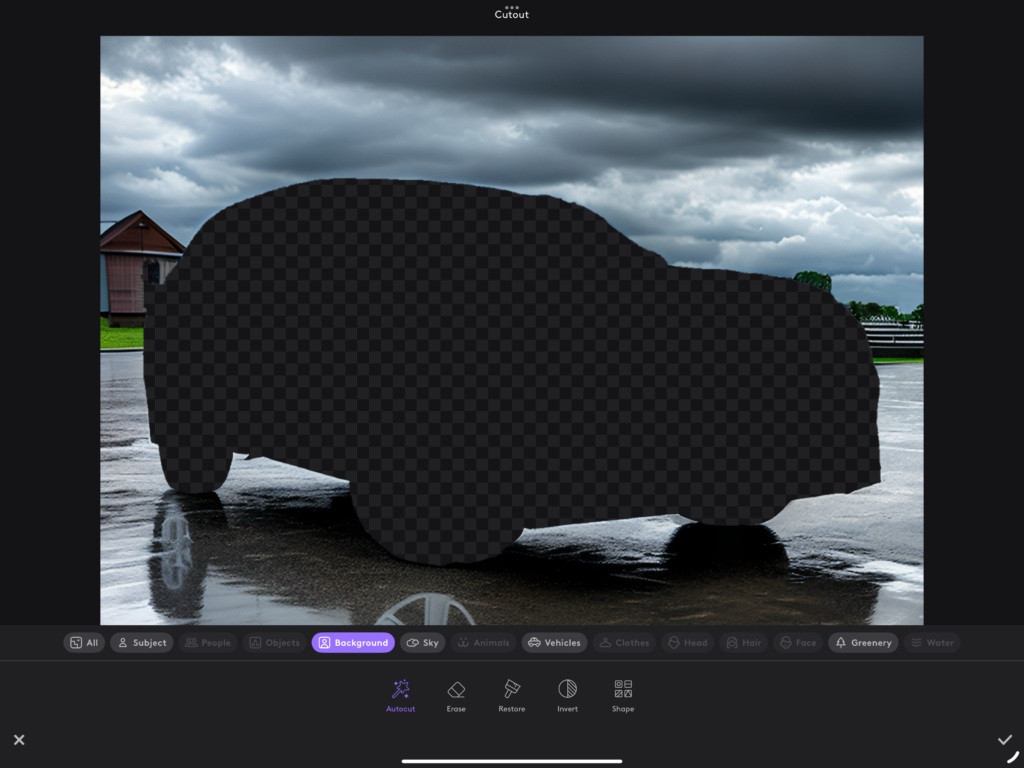
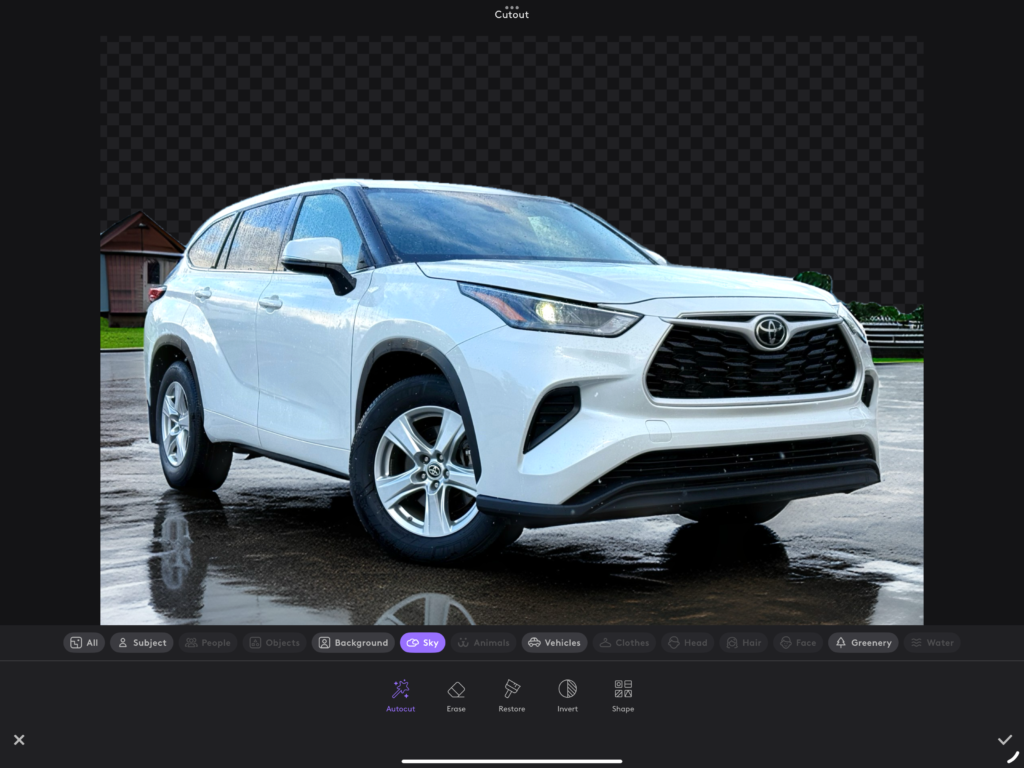
The AI photo adder and enhancement features represent the cutting edge of Photoleap’s technology. At the heart of these capabilities is a powerful AI background generator that can completely transform the context of your images. Whether you’re looking to transport your subject to a tropical beach or a fantasy realm, the AI handles the heavy lifting.
What truly impresses me is the range of creative AI features available. The platform offers delightful options like face switch technology, pet portrait cartoonization, and the ability to convert real-life scenes into animated or fantasy versions. I’ve particularly enjoyed the unique feature that lets users add their own faces to GIFs, making content creation more personal and engaging.
The AI-driven tools go beyond simple filters and effects. The AI Image Upscaler works wonders in improving photo resolution without losing quality, while the intelligent photo enhancer automatically adjusts elements like exposure, contrast, and color balance to achieve optimal results. These features make professional-quality editing accessible to everyone, regardless of their technical expertise.
According to the App Store, users can seamlessly blend images and manipulate backgrounds, creating sophisticated compositions that were once possible only with desktop software. This combination of powerful AI capabilities and user-friendly interface makes Photoleap stand out in the crowded field of photo editing apps.
Explore Photoleap’s AI Capabilities
Image Brightener: Illuminate Your Photos
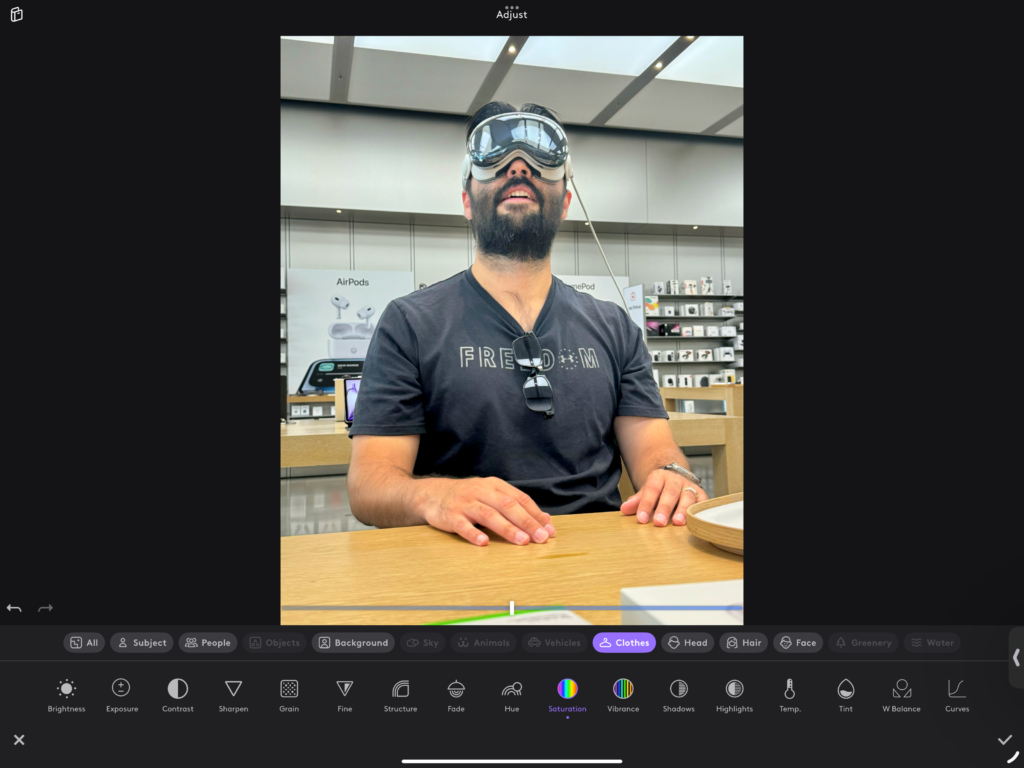
The AI art filters in Photoleap’s brightening technology transform underexposed photos into vibrant masterpieces. According to Photoleap’s official website, these intelligent tools can enhance image quality with just a tap, eliminating the need for complex manual adjustments. I’ve found this feature particularly useful for salvaging photos taken in challenging lighting conditions, preserving details that might otherwise be lost in shadows.
Photo Retouch: Perfectly Polished Images
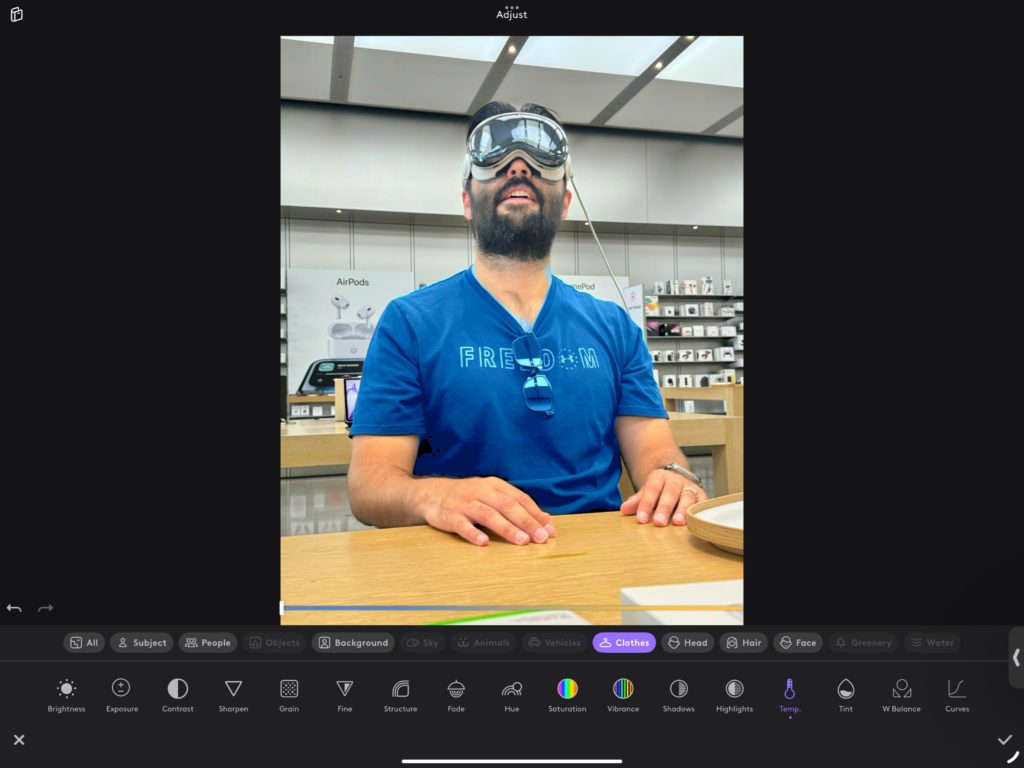
The retouching capabilities combine AI image filters with sophisticated enhancement algorithms to deliver professional-grade results. Whether you’re smoothing skin tones or removing unwanted elements, the AI-powered retouching tools work with remarkable precision. What impresses me most is how these features maintain natural-looking results while making significant improvements.
Fantasy Character Creator: Bring Imagination to Life

The AI fantasy filter takes character creation to new heights, allowing users to transform themselves or their subjects into magical beings. As highlighted by Photoleap, the Text-to-Image feature brings ideas to life with unprecedented ease. I’ve seen stunning transformations where ordinary portraits become enchanted characters straight out of fantasy worlds.
AI Image Upscaler: From Pixelated to Perfect
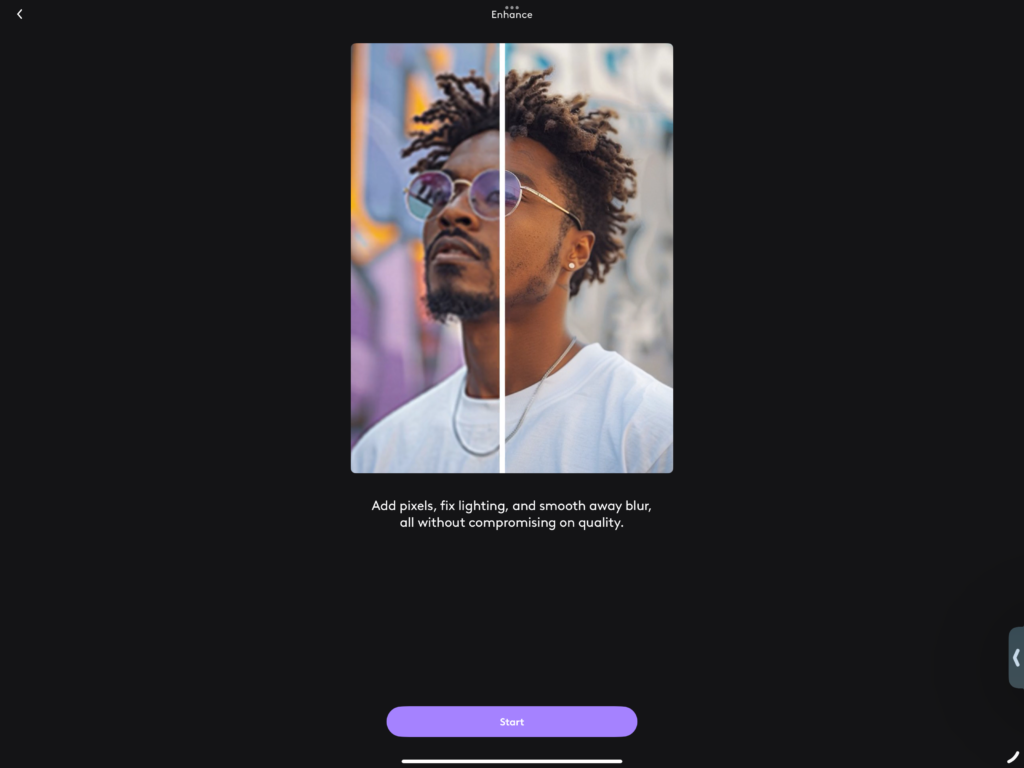
One of Photoleap’s most powerful features is its incredibly useful AI image upscaler. This tool breathes new life into low-resolution photos, making them suitable for large-format printing or detailed digital display. The platform’s ability to simplify workflows while maintaining quality has saved countless hours of manual editing work.
AI Costume Generator: Dress Your Dreams
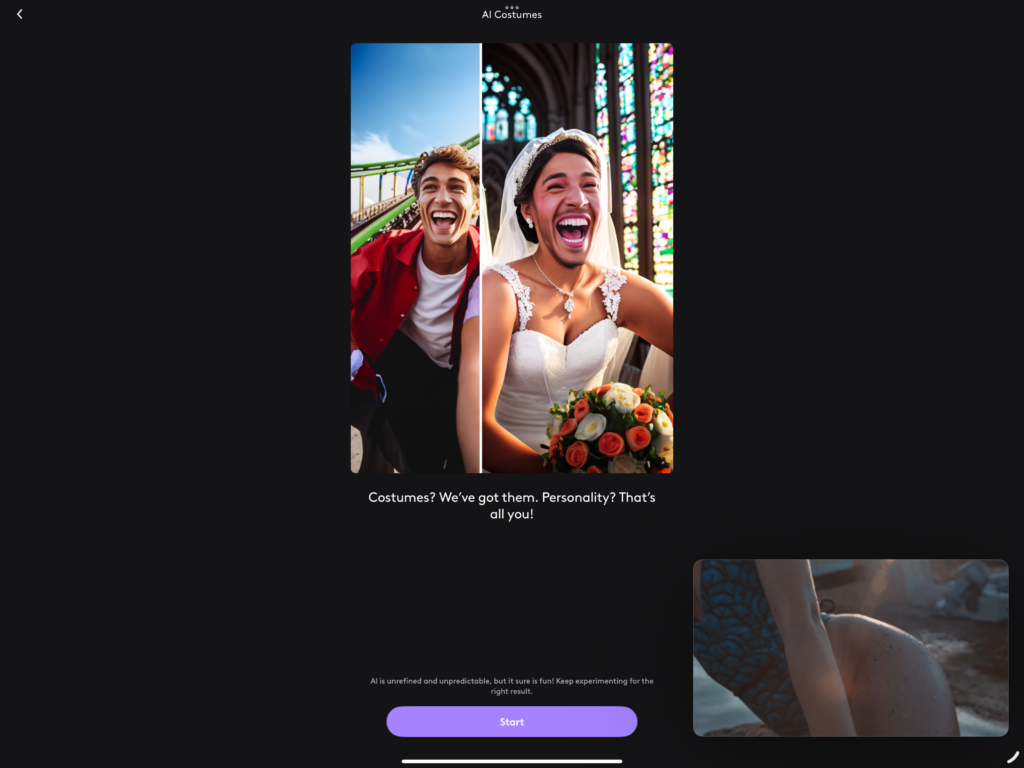
The AI costume generator represents a creative breakthrough in digital wardrobe visualization. Using AI image effects, this feature allows users to experiment with different looks and styles virtually. Whether you’re planning a costume party or creating character concepts, the generator provides realistic previews of various outfit combinations.
Enhanced Social Media Optimization
Social media success relies heavily on visual impact, and Photoleap delivers powerful optimization tools for this purpose. The platform’s AI tools streamline the editing process with features like AI remove background and AI remove objects, ensuring your content stands out in crowded social feeds. I appreciate how these tools maintain quality while optimizing images for different platform requirements.
The integration of AI Uncrop and AI Enhance features provides additional flexibility for social media creators, allowing them to adapt content quickly without sacrificing quality. Whether you’re creating Stories, posts, or profile pictures, these tools ensure your content maintains professional polish across all platforms.
Taking Creativity to the Next Level
Artistic Filters and Effects
As an art edit app, Photoleap stands out with its extensive collection of AI art filters that transform ordinary photos into stunning artistic creations. According to Photoleap, these tools are designed to make professional-level editing accessible to everyone, from seasoned designers to social media enthusiasts.
I’ve found the range of artistic effects particularly impressive, offering everything from classic vintage looks to contemporary double exposure effects. What sets these filters apart is their intelligent application – they don’t just overlay a basic effect but analyze your image to apply modifications that enhance its unique characteristics.
The dispersion effects and creative filters allow users to experiment with surreal and eye-catching transformations. Whether you’re looking to create dreamy atmospheres or bold, graphic statements, these tools provide the perfect balance between automated enhancement and creative control.
Creative Layering and Blending
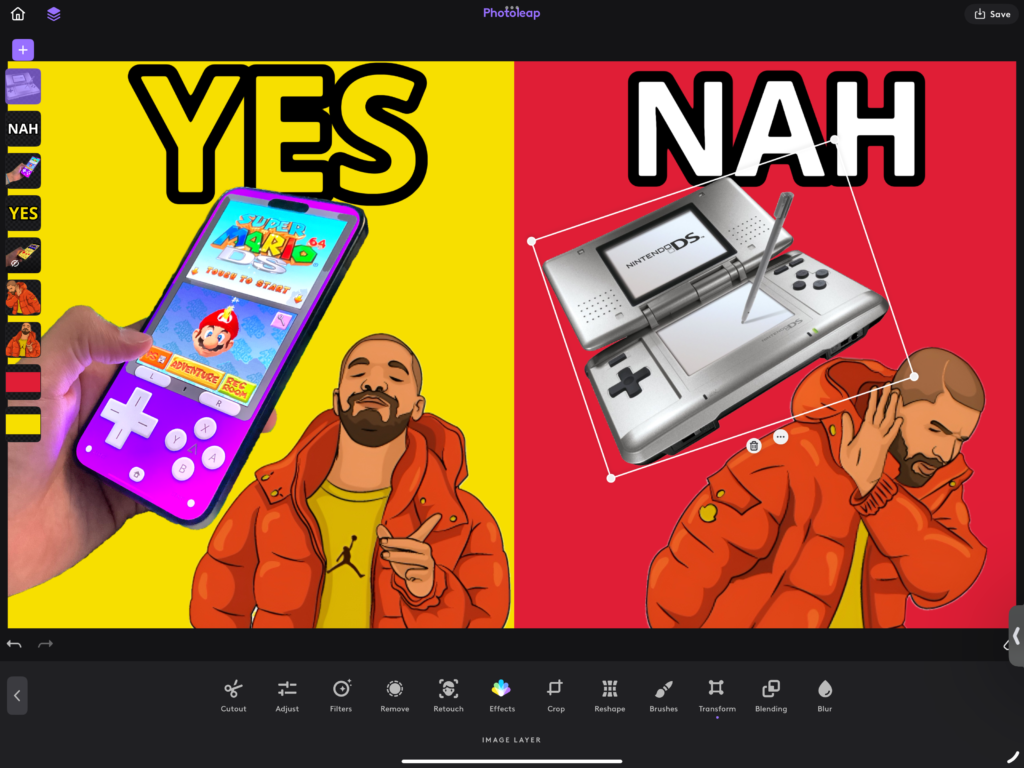
The layering and blending capabilities in Photoleap elevate it beyond a simple filter application tool. As highlighted by the platform, users can create custom sticker designs and complex compositions that rival professional desktop software results.
I’ve discovered that the true power lies in combining multiple layers with various blending modes. The interface makes it intuitive to adjust transparency levels, merge different images, and create sophisticated visual effects. This functionality is particularly valuable for creating trending content, as it allows users to quickly adapt and combine elements for viral social media posts.
The precision of these tools is remarkable – you can fine-tune every aspect of your composition while maintaining the quality of each layer. Whether you’re creating subtle photo manipulations or bold artistic statements, the layering system provides the flexibility and control needed for professional-quality results.
Practical Guide: How to Use Photoleap
Getting Started: Account Setup and Installation
Beginning your journey with Photoleap is straightforward. The photoleap download process is available through your device’s app store, and once installed, you’ll need to complete the photoleap login to access all features. I recommend creating an account during the initial setup to ensure your work is safely backed up and synchronized across devices.
After installation, you’ll be greeted with a clean, intuitive interface that makes navigation simple. The app guides you through the basic features, helping you familiarize yourself with the tools available in both free and premium versions. I particularly appreciate how the onboarding process doesn’t overwhelm new users while still showcasing the app’s powerful capabilities.
Step-by-Step Photo Editing with AI
The editing process in Photoleap follows a logical, user-friendly flow that makes creating professional-looking content accessible to everyone. I’ve found that starting with AI-powered features often yields the best results, as they provide a strong foundation for further refinements.
Here’s my recommended editing sequence:
- Select your image or create a new project
- Apply AI enhancements for basic improvements
- Use specific tools for detailed adjustments
- Add creative effects and filters
- Fine-tune the results with manual controls
One standout feature I’ve discovered is the app’s excellence in creating YouTube thumbnails. The AI tools help optimize image composition and visual impact, ensuring your content stands out in crowded video feeds.
Exporting and Sharing Your Masterpiece
Once you’re satisfied with your creation, Photoleap offers various export options to ensure your work looks perfect on any platform. The export process is designed to maintain image quality while optimizing file sizes for different uses.
Key sharing features include:
- Direct social media integration
- Multiple file format options
- Custom resolution settings
- Batch export capabilities
- Quick share shortcuts
I’ve found the export presets particularly helpful, as they automatically optimize images for specific platforms while preserving the creative elements you’ve added. Whether you’re sharing to social media, saving for print, or creating content for YouTube, the app ensures your work maintains its intended impact across all mediums.
Comparing Photoleap to Other Photo Editors
Photoleap vs Major Competitors
While there are many apps like Photoleap in the market, few match its comprehensive feature set and AI capabilities. When comparing it to industry giants like Adobe Photoshop or accessible alternatives like Pixlr, I’ve noticed several distinct advantages that make Photoleap stand out.
The mobile-first approach sets Photoleap apart from desktop-focused competitors. While traditional editing software often feels cramped on mobile devices, Photoleap’s interface is specifically designed for touchscreen interaction, making complex editing tasks feel natural and intuitive on smartphones and tablets.
What truly impresses me is how Photoleap bridges the gap between professional capabilities and user-friendly design. Unlike some competitors that either overwhelm users with complex features or offer too-basic tools, Photoleap strikes an excellent balance, providing sophisticated editing capabilities without the steep learning curve.
Key Differentiators in AI and Functionality
The AI integration in Photoleap represents its most significant advantage over traditional photo editors. While many apps offer basic filters and adjustments, Photoleap’s AI capabilities transform the editing process in several unique ways:
- Intelligent Image Generation
- Text-to-image conversion
- Smart background generation
- Automatic style transfer
- Advanced Enhancement Tools
- Context-aware object removal
- Intelligent upscaling
- Automated color correction
- Creative AI Features
- Fantasy character creation
- Smart portrait enhancement
- Dynamic effect generation
I’ve found that these AI-powered tools not only save time but also open up creative possibilities that would be difficult or impossible to achieve manually. The automation of complex tasks doesn’t compromise on quality – instead, it allows users to focus more on their creative vision rather than technical execution.
Most importantly, Photoleap’s continuous innovation in AI technology keeps it ahead of the curve. While other editors might offer similar basic features, Photoleap’s commitment to advancing its AI capabilities ensures users always have access to the latest developments in photo editing technology.
User Testimonials and Reviews
Customer Satisfaction & Ratings
After analyzing numerous photoleap reviews across various platforms, I’ve found that user satisfaction tends to be consistently high. The photoleap app review scores reflect users’ appreciation for its powerful AI capabilities and intuitive interface. When considering is photoleap worth it, many users emphasize the value they get from its professional-grade editing features on mobile devices.
I’ve noticed that photoleap review comments frequently highlight the app’s ability to transform ordinary photos into stunning artwork. The combination of advanced AI tools and user-friendly design has earned the app significant praise, particularly from content creators and social media professionals who rely on quick, high-quality editing solutions.
However, it’s worth noting that as reported on the App Store, some users have experienced performance issues, including occasional crashes and varying quality in AI-generated images. Despite these challenges, the overall user sentiment remains positive.
Common Praise and Criticisms
When evaluating is photoleap any good, I’ve found that user feedback generally clusters around several key points:
Frequent Praise:
- Intuitive user interface
- Powerful AI-driven features
- Professional-quality results
- Regular feature updates
- Versatile editing capabilities
Common Criticisms:
- Learning curve for advanced features
- Premium feature pricing
- Occasional app performance issues
- Inconsistent AI generation results
The balance of feedback suggests that while the app isn’t perfect, its strengths significantly outweigh its weaknesses. Many users find that the initial investment in learning the tools pays off in improved editing efficiency and creative possibilities. The premium pricing, while a concern for some, is often justified by users who leverage the app’s full feature set for their creative or professional work.
What stands out in recent reviews is the app’s commitment to improvement. Despite some technical challenges, regular updates and feature additions demonstrate the developers’ dedication to enhancing user experience and addressing community feedback.
Frequently Asked Questions (FAQs)
Is Photoleap Free to Use?
Is Photoleap free? The answer is both yes and no. The app offers a basic free version that gives you access to fundamental editing tools and select AI features. I’ve found this free tier suitable for casual users who want to explore the platform’s capabilities. However, to unlock the full potential of the app’s advanced features, you’ll need to consider the Pro subscription.
The free version includes:
- Basic editing tools
- Selected AI filters
- Standard export options
- Limited cloud storage
- Basic creative tools
The Cost of Photoleap Premium Features
The photoleap cost structure is designed to be competitive within the photo editing market. The Pro subscription offers a 7-day free trial, allowing users to explore premium features before committing. After the trial period, users can choose between monthly and annual billing options, with the annual plan offering better value for long-term users.
Premium features include:
- Advanced AI tools
- Unlimited exports
- Higher resolution processing
- Priority customer support
- Exclusive filters and effects
- Remove watermarks
- Cloud storage
What Is AI Photo Editing?
What is AI photo editing? It’s a revolutionary approach to image manipulation that uses artificial intelligence to automate and enhance the editing process. I’ve seen how this technology transforms traditional editing tasks that once required extensive manual work into simple, one-click operations.
AI photo editing capabilities include:
- Automated image enhancement
- Smart object removal
- Intelligent background replacement
- Portrait retouching
- Style transfer
- Image upscaling
The AI analyzes your photos and makes intelligent decisions about adjustments, saving time while maintaining professional quality. This technology makes advanced editing techniques accessible to users of all skill levels.
Can I Use Photoleap on Multiple Devices?
Yes, Photoleap supports cross-platform functionality, allowing you to seamlessly work across different devices. I find this particularly useful for maintaining workflow continuity between mobile and tablet editing sessions.
Key multi-device features:
- Cloud sync of projects
- Consistent experience across platforms
- Automatic backup of edits
- Shared presets and settings
- Cross-platform compatibility
Your edits and projects are synchronized through your account, ensuring you can pick up where you left off regardless of which device you’re using. This flexibility makes it convenient for users who switch between devices throughout their creative process.
Final Verdict: Is Photoleap the Right Choice for You?
After extensively testing the platform and analyzing its features, I can confidently address the question: is photoleap worth it? The answer largely depends on your specific needs and creative goals.
For Professional Content Creators:
- The photoleap subscription offers excellent value if you regularly create content for social media or professional projects
- Advanced AI tools justify the investment by significantly reducing editing time
- The professional-grade features rival desktop software while maintaining mobile convenience
For Casual Users:
- The free version provides a solid foundation for basic editing needs
- The trial period helps evaluate if premium features align with your requirements
- Consider the subscription if you frequently edit photos or want to explore creative possibilities
I find Photoleap particularly valuable for:
- Social media influencers requiring quick, professional edits
- Content creators needing versatile AI tools
- Photography enthusiasts looking to enhance their mobile editing capabilities
- Business owners managing their visual content
- Artists exploring digital creative possibilities
The platform’s strengths become most apparent when you need:
- Quick, professional-looking edits
- Advanced AI-powered transformations
- Creative flexibility without technical complexity
- Cross-platform editing capabilities
- Regular access to updated features
However, it might not be the best fit if:
- You only edit photos occasionally
- You prefer traditional manual editing methods
- You’re looking for basic filters only
- Budget constraints limit subscription services
In my experience, the value proposition of Photoleap becomes clearer the more you engage with its features. While the subscription cost might seem significant initially, the time saved and quality of results often justify the investment for regular users.
Beyond Editing – Future Developments and Updates
As photoleap online continues to evolve, I’m excited about the platform’s commitment to innovation and future developments. The landscape of AI-powered photo editing is rapidly changing, and Photoleap appears well-positioned to remain at the forefront of these advancements.
Anticipated developments include:
- Enhanced AI Processing
- More sophisticated image generation capabilities
- Improved real-time editing performance
- Advanced neural network implementations
- Smarter automated adjustments
- Expanded Creative Tools
- New AI-powered artistic styles
- Advanced animation capabilities
- Expanded template library
- Enhanced batch processing features
- Platform Improvements
- Streamlined cloud integration
- Better collaboration features
- Improved cross-device synchronization
- Enhanced export options
I’ve noticed the development team’s consistent pattern of introducing cutting-edge features while refining existing ones. This dual approach suggests users can expect both innovative new tools and improved performance of current features in upcoming updates.
The future roadmap appears to focus on:
- Integration of emerging AI technologies
- Enhanced social media optimization tools
- Expanded creative possibilities
- Improved user experience
- Better resource optimization
What particularly interests me is how these developments might reshape the mobile editing landscape. As AI technology continues to advance, we can expect even more sophisticated tools that blur the line between mobile and desktop editing capabilities, potentially revolutionizing how we approach photo editing on the go.
Remember that staying current with updates ensures you’ll have access to the latest features and improvements as they become available. The platform’s commitment to regular updates suggests an exciting future for both casual users and professional creators.
Conclusion: Elevate Your Photos with Photoleap
After thoroughly exploring what photoleap AI has to offer, I can confidently say it represents a significant leap forward in mobile photo editing technology. The platform successfully combines powerful artificial intelligence with user-friendly design, making professional-grade editing accessible to everyone.
Key takeaways from my experience include:
- Revolutionary AI Integration
- Intelligent automation streamlines complex editing tasks
- Consistent high-quality results
- Regular updates enhance AI capabilities
- Innovative creative tools
- Versatile Applications
- Professional content creation
- Social media optimization
- Personal photo enhancement
- Digital art creation
- Value Proposition
- Time-saving AI features
- Professional-grade results
- Accessible learning curve
- Cross-platform flexibility
What truly sets Photoleap apart is its ability to democratize advanced photo editing. Whether you’re a professional photographer, social media influencer, or someone who simply enjoys creating beautiful images, the platform provides the tools needed to bring your creative vision to life.
Looking ahead, I’m confident that Photoleap will continue to push boundaries in AI-powered photo editing. Its commitment to innovation, combined with user-friendly design, makes it a compelling choice for anyone serious about elevating their photo editing game.
Remember, the best photo editor is the one that helps you achieve your creative goals efficiently and enjoyably. From my perspective, Photoleap excels in both aspects, making it a valuable tool in any creative arsenal.